Guided Setup
The guided setup is a short series of cards that take you from an empty account to a page that actually works. It exists because the order matters: you cannot sell a ticket before payouts are connected, and you cannot create an event before there is a promoter to attach it to. The guide keeps that order for you. It only appears in the web app.
Open the guide
- Open Manage.
- Select Set up a page in the header.

The first time round it opens on its own. Finishing your sign-up lands you straight in it — you do not have to find the button. And if you started an event before creating your account, the guide picks that draft up and carries on with it rather than asking you where to begin. It stays out of the way everywhere else.
Set up a page always starts at the first question, even if you already have forty pages — it is how you set up the next one. Opening it changes nothing on its own: close the card without choosing and anything you had in progress is left exactly as it was.
Choose your journey
The first card asks what brings you to Sway. Your answer decides the rest.
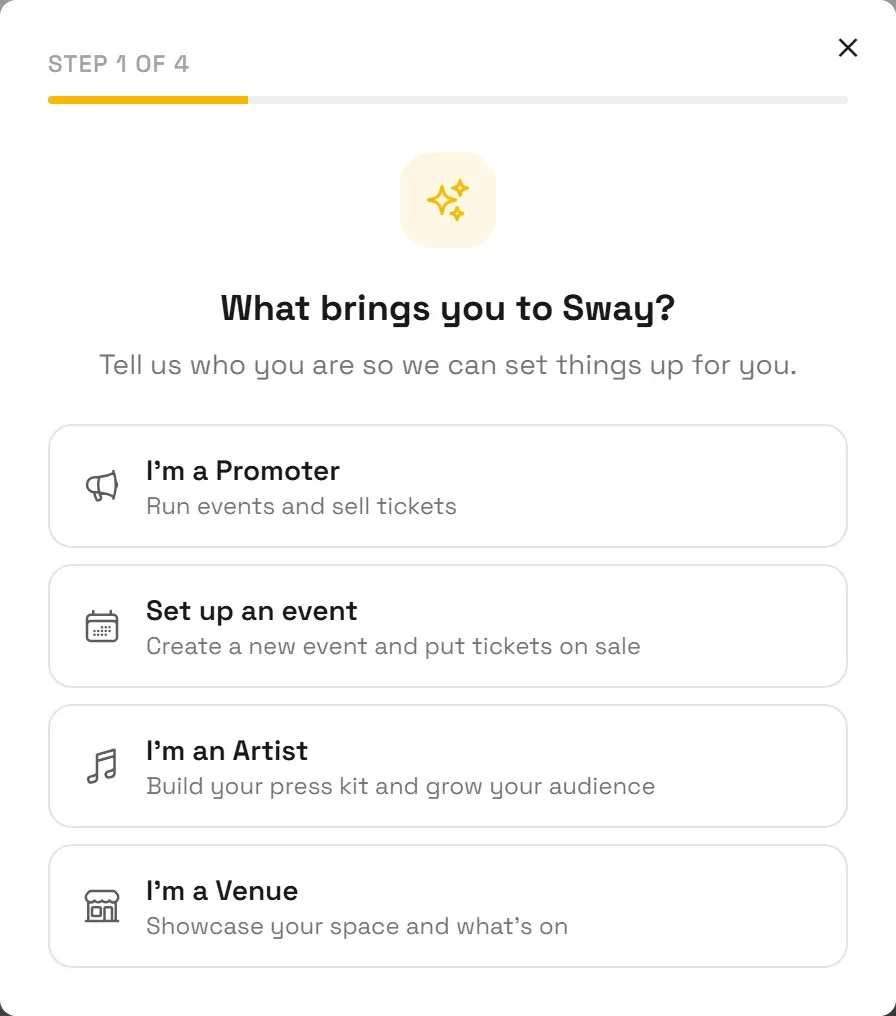
| You choose | The guide takes you through |
|---|---|
| I'm a Promoter | Your promoter page → ticketing question → payouts → first event → first ticket |
| Set up an event | (a promoter page, if you have none) → your event → payouts → first ticket |
| I'm an Artist | Your artist page → complete your profile |
| I'm a Venue | Your venue page → complete your profile |
A counter at the top of each card shows where you are. It counts only the steps your run actually goes through: if you already have a promoter page, the event journey never asks for one and never counts it.
Create or claim your page
For a promoter, artist or venue page, the next card offers Create a new page or Claim an existing page.
Create a new page:
- Fill in the form, which opens inside the guide with the step counter above it. The guide is the only way to reach this form, and the page it produces is an ordinary one.
- Submit it. You land on the new page and the guide moves to the next step.
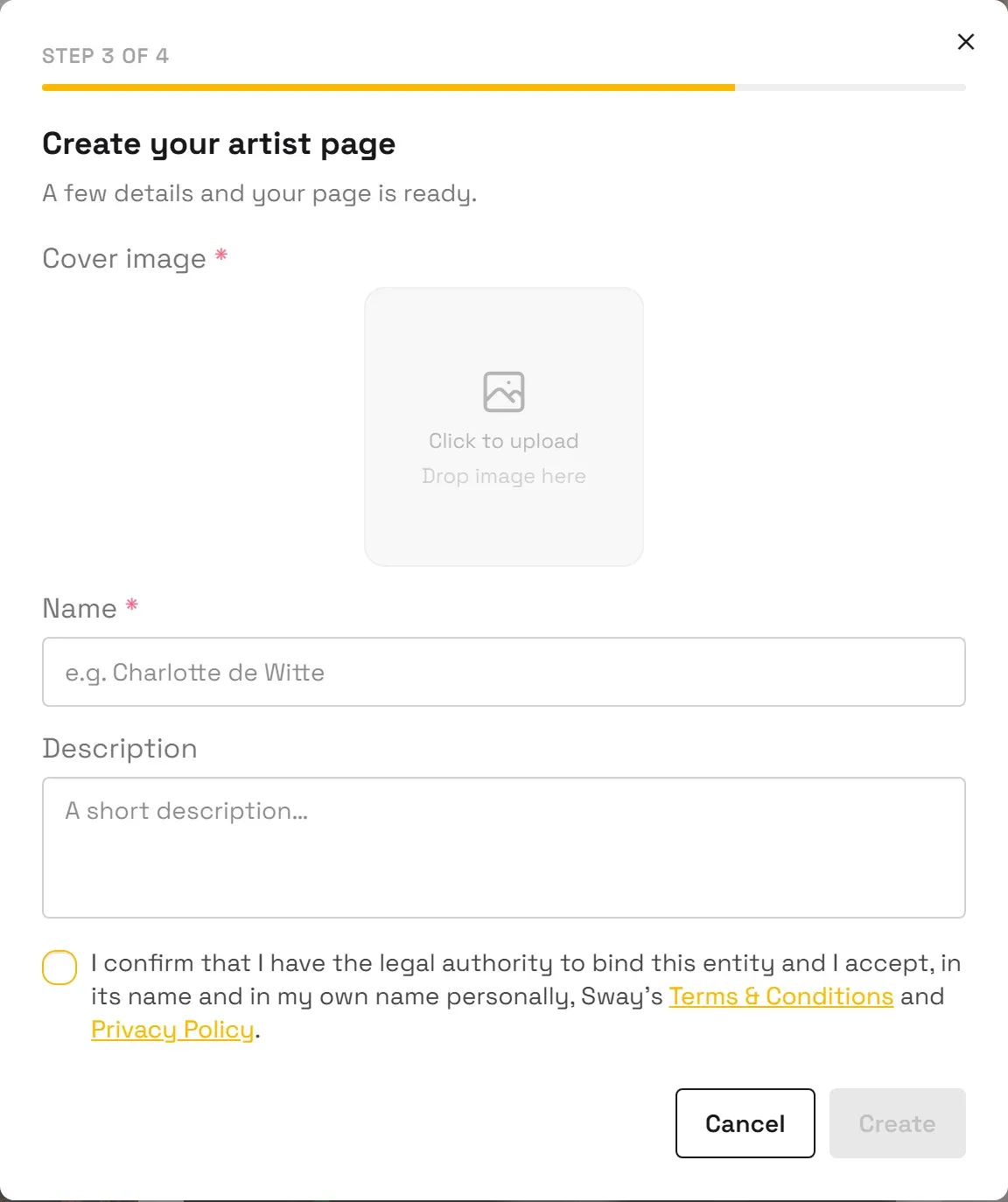
Fields and rules per type:
Claim an existing page:
- Search for your page inside the card.
- Select it in the results. Pages already claimed by their owner are listed but cannot be selected, so you can see the page exists and stop looking for it.
- Fill in the public claim form, where you prove the page is yours.
A claim is reviewed by us, so the guide waits: you keep your run and can finish it once the claim is granted.
See Claim an existing page for the full claim process.
Set up ticketing
If you chose the promoter journey, the guide asks whether you want to sell tickets with Sway.
Not right now stops the guide there. Your page is live, and you can come back to ticketing whenever you want.
Yes, set up ticketing continues with three steps:
- Connect Stripe. The guide opens the Payouts tab of your promoter page, waits while you are on Stripe, and picks up on its own when you come back, so you never have to find your place again.
- Create your first event.
- Add your first ticket type.
Step 1 is the one people skip and regret: without it your event can exist, but nobody can pay for a ticket. The full walkthrough is in Connect payouts.
Leaving and coming back
- Closing a card puts the guide to sleep rather than cancelling anything. Your pages stay, and Set up a page brings it back. Closing it means "not now", not "never": if you never set anything up and come back after a long gap, it offers itself again. Once you have a page, it stops asking for good.
- While you work, the guide steps out of the way. When it sends you somewhere, such as your payouts settings or the ticket screen, it stays hidden until that step is genuinely done, so it never covers the form it just asked you to fill in.
- If you leave without finishing, nothing is lost. The guide looks at what actually exists on your account, not at what it remembers, and resumes at the first thing still missing.
- It never tells you that you are finished because of a page you already had. Each run is scoped to the page it created with you, so an organizer with forty pages who asks for the guide is walked through a new one rather than congratulated on the old ones.